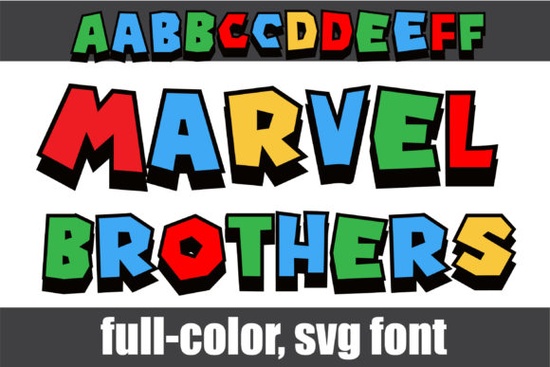
If you're looking for a bold, eye-catching typeface that brings a playful, superhero-inspired vibe to your projects, the Marvel Brothers Font might be exactly what you need. This full-color font uses blocky lettering with bright primary colors and black drop shadows, giving every character a strong, punchy look. It's built as an OpenType-SVG color font, which means the colors are baked right into the letterforms no extra steps needed.
What Makes This Color Font Stand Out?
Color fonts are still relatively new to the design world, and not all of them are created equal. What sets this one apart is its comic-book-inspired aesthetic. Each letter looks like it could belong on a movie poster or a kid's birthday party banner. The primary colors red, blue, yellow pop against the black shadow behind every character, creating a 3D effect without any extra layering on your part.
There's also a second alternate set of uppercase and lowercase letters built into the font. You can access these alternates through your system's character map, which gives you more variety when designing headlines, logos, or t-shirt graphics. Swapping between the default and alternate characters helps you avoid a repetitive look in longer text.
Where Can You Use This Font?
This typeface works well across a range of creative projects. Here are some ideas:
- T-shirt designs The bold, colorful style is perfect for print-on-demand apparel, especially kids' shirts or superhero-themed merchandise.
- Party invitations and decorations Birthday invitations, banners, and cupcake toppers all benefit from that comic-book energy.
- Social media graphics Bold, colorful text grabs attention in a crowded feed.
- Posters and flyers Great for event promotions, especially anything aimed at families or younger audiences.
- Greeting cards Fun, playful cards for kids or anyone who loves a retro superhero vibe.
What Software Works With This Font?
Since the Marvel Brothers Font is an OpenType-SVG color font, it needs software that supports this format. Here's what's compatible:
- Adobe Photoshop
- Adobe Illustrator
- Silhouette Studio
- Inkscape (free and open-source)
Important: The OTF and TTF files included with this product are not compatible with Cricut Design Space. If you're a Cricut user, this is something to keep in mind before purchasing. The standard files won't render the color they'll just show as plain black outlines. For more details on working with color fonts across different platforms, Creative Fabrica's Ultimate Font Guide is a helpful resource.
How Do You Access the Alternate Characters?
Getting to the extra letterforms is straightforward. On Windows, you can open the Character Map application, select the font, and browse through the available glyphs. On Mac, use the Font Book app or the glyph panel inside your design software (Photoshop and Illustrator both have built-in glyph browsers). This lets you pick and choose alternate letters to mix up your designs without any guesswork.
Is This Font Right for Your Project?
That depends on what you're creating. If your designs call for a fun, bold, comic-style typeface that doesn't require any manual coloring, this font does the heavy lifting for you. It's especially useful for crafters and designers who want colorful text without spending extra time in post-production.
However, if you need a more subtle or elegant look, this probably isn't the right fit. It's loud, bright, and unapologetically playful and that's the point. If you like this style but want something with a different theme, you might also want to check out other colorful display fonts that bring a similar energy with a different twist. You can also browse the full product page for more previews and details.
Quick Checklist Before You Buy
- Check your software Make sure you're using Photoshop, Illustrator, Silhouette, or Inkscape.
- Skip this if you use Cricut The color features won't work in Cricut Design Space.
- Know how to access alternates Familiarize yourself with your system's character map or your software's glyph panel.
- Think about your project This font shines on kids' products, party designs, social media posts, and bold merchandise.
- Test it out Preview how the font looks in your specific design software before committing to a final layout.
Next step: Download a preview or grab the font and test it in your preferred software. Start with a simple headline to see how the colors and shadows look at different sizes, then build your design from there. Try It Free
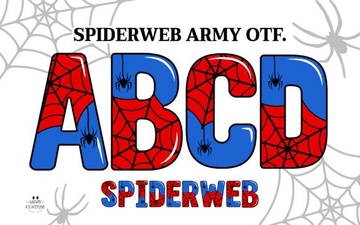 Spiderweb Army Font: Design Ideas for Bold Projects
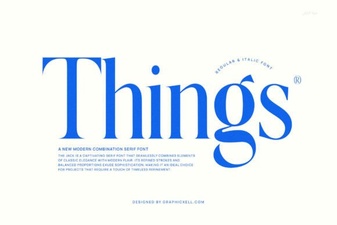 Things Font: a Minimalist Typeface for Modern Design Projects
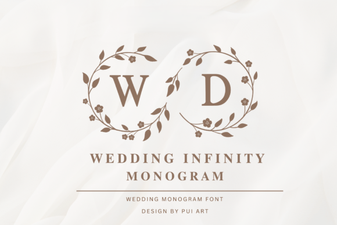 Elegant Wedding Infinity Monogram Font for Timeless Designs
 Dirty Strong Font – Bold Display Typeface for Impactful Designs
 Butterfly Inside Font Free Download – Decorative Display Typeface
 Siblings Font Free Download - Beautiful Script Typeface